Rota · Time clock · Payroll hours

Plan the shifts.Clock the hours.Send to payroll.

Dallero runs the week for cafés, pubs, restaurants and every place that works in shifts.

Mon0922

The week’s rota, in minutes.

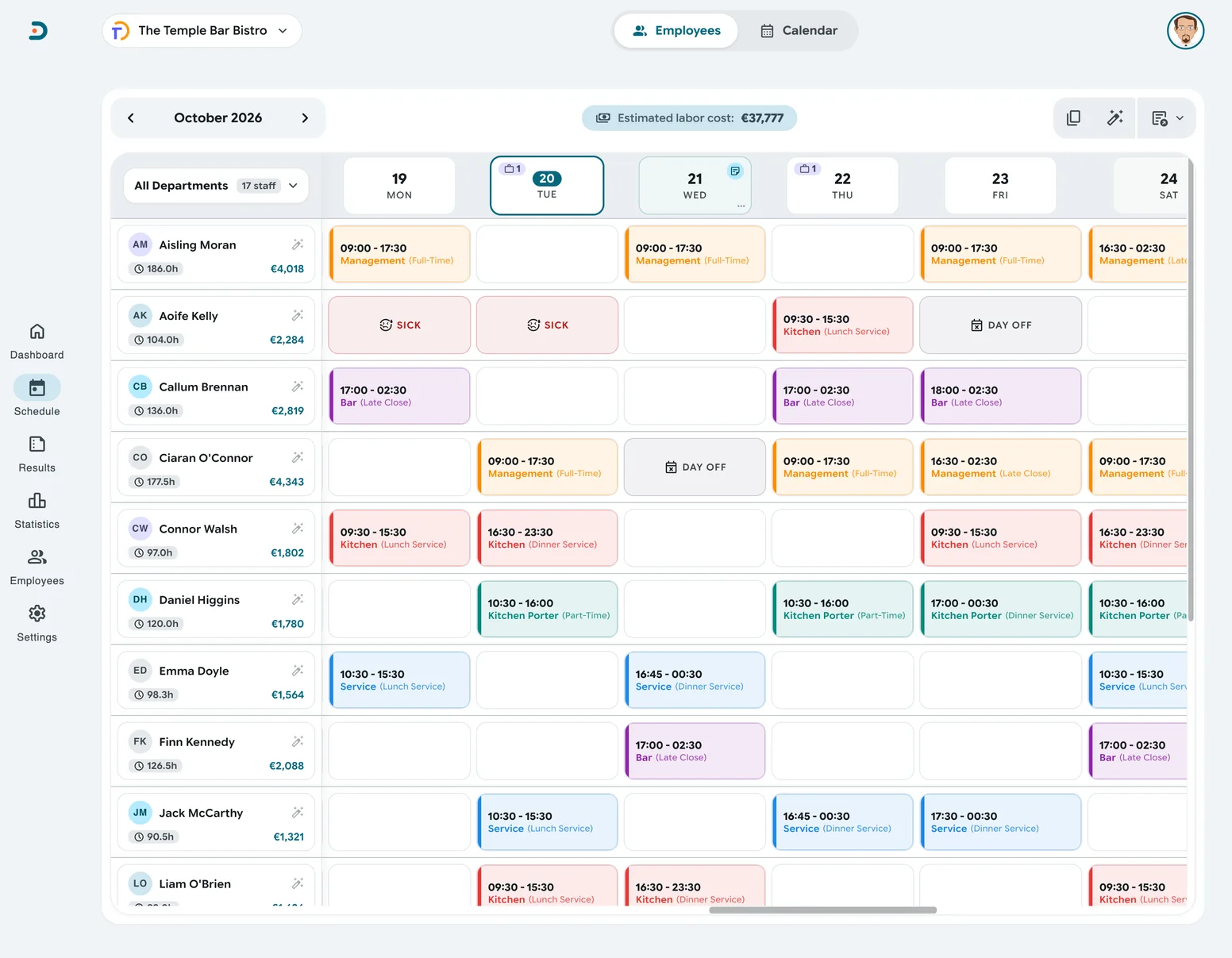
Apply a template and the week fills in. Move a shift by dragging it. The estimated labour cost stays in the header while you plan.

  • Templates and copy a weekPlan a week, or a whole month, in one go.
  • Open shiftsPost a shift nobody is on. Staff ask for it, you pick.
  • It warns youDays off, sickness and overlaps show before you save.

The assistant

Or just say it.

Tell the assistant what you need, typed or spoken. It drafts the shifts and you check them before they reach the rota. It answers questions about hours and costs too.

  • You have the last wordNothing is added until you have looked it over.
  • Ask about the numbersStaff cost, hours, who is off tomorrow.
Mon0923

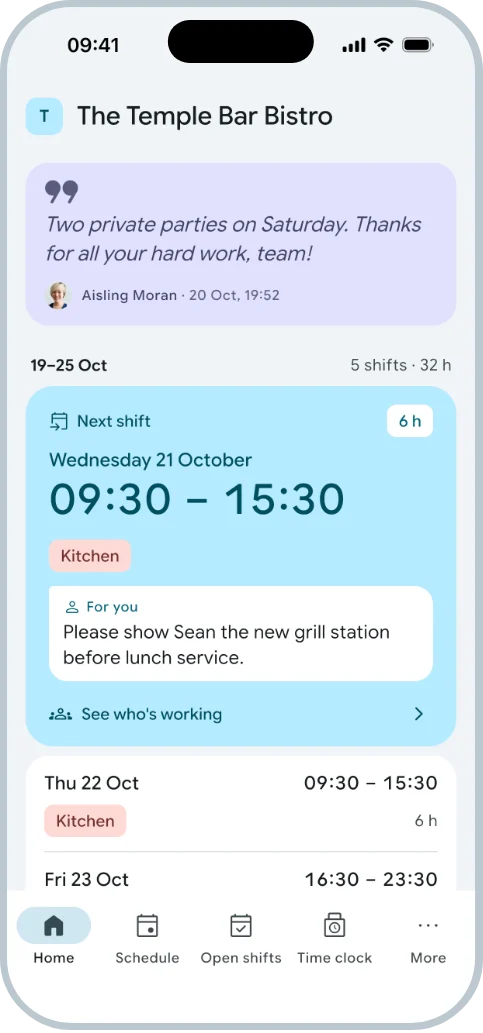
On Siobhan’s phone a minute later.

A new or changed shift reaches the person as a push. In the app they see their week, who they are working with and the note you left.

  • A push when the rota changesNo more screenshots in the group chat.
  • Notes that reach the right peopleFor one shift, for a day or for the whole team.
  • Sick reports and days offSent from the app, answered by you.
Fri1657

She clocks in. Your way.

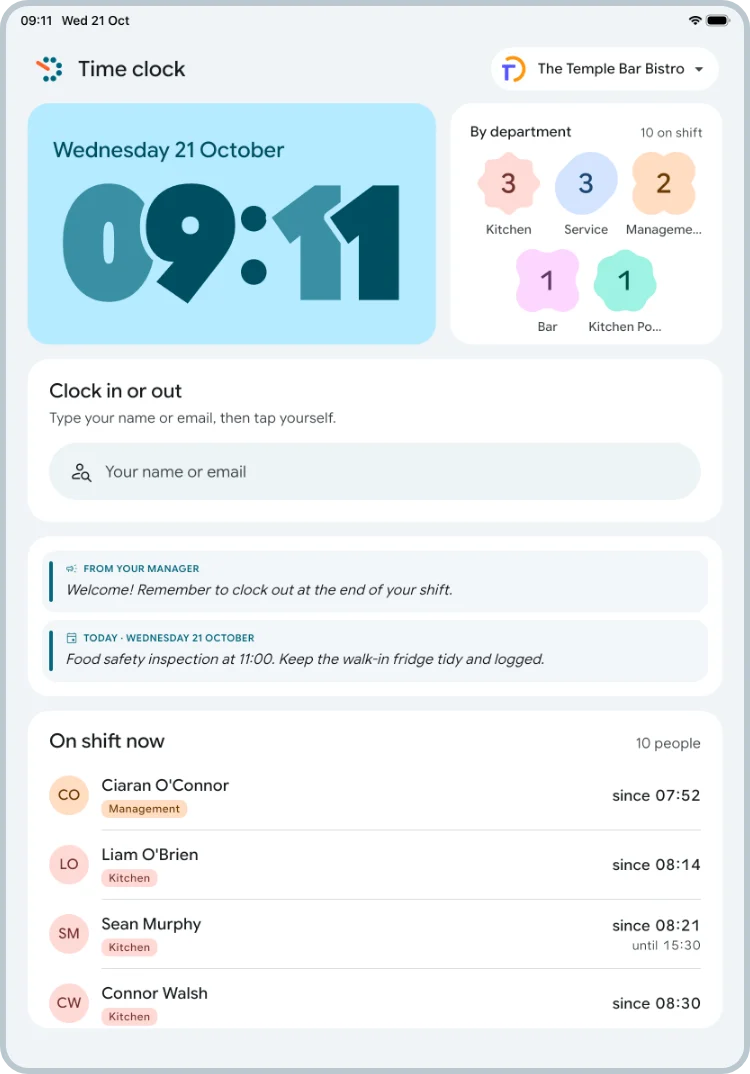
On a tablet at the door, in the app, or in the app only when she is at the workplace. You choose how your place works.

  • A tablet at the doorPair it with a one-time code. Staff tap their name.
  • Only at the workplaceA GPS area you set on a map.
  • Or you do it for themFrom the dashboard or your own phone.
Fri2336

A clean shift approves itself.

She clocked out six minutes late. That is inside your limit, so the shift is approved and marked as such. Overtime, a note or an unplanned shift waits for you.

  • Your limit5, 10 or 15 minutes from the plan.
  • A morning emailYesterday’s hours, cost and what is waiting.
  • Every change is keptWho changed which shift, and when.
Sat0930

Know what Friday cost.

Type in the day’s sales. Dallero shows staff cost as a share of sales against your own target, for the day, the month and the year.

  • Labour % against your targetYou see at once when a day went over.
  • The busy days and the quiet onesBy day, weekday, department and person.
  • Late clock-insHow many shifts started on time.
Mon 30 Nov0940

Month end. One file for payroll.

Every shift with its real clock-in and clock-out, its premiums and its notes. Her Friday is in there, down to the minute.

  • Excel, CSV or BrightPayThe format your accountant or payroll program takes.
  • Evening and Sunday premiumsAdded to the shift by themselves.
  • Hours are exact, pay is an estimateDallero prepares payroll. It does not run it.

The price

All of this is free.

No per-user fees. No contract. Everything on this page is included, for as many people as you have.

Everything else

And the small things.

The parts you only notice when they are missing. They are all in.

The rota

  • Shift templatesFill a week, or a whole month, in one go.
  • Copy a weekWith the same people, or as open shifts.
  • Common shiftsYour usual times as one-tap chips.
  • Drag to fixWith a warning for days off, sickness and overlaps.
  • Open shiftsStaff ask for a shift. You pick who gets it.
  • Departments and rolesIn colour, everywhere.

The time clock

  • Tablet at the doorPair any iPad or Android tablet with a one-time code.
  • Only at the workplaceA GPS area you set on a map.
  • A manager can do itClock someone in or out from your own phone.
  • Clock out from anywhereA forgotten clock-out is fixed from home.
  • Self-approving shiftsWithin 5, 10 or 15 minutes of the plan.
  • Every change is keptWho changed which shift, and when.

The team

  • Invite by emailThey sign in with Google or Apple. No passwords from you.
  • Sick reportsFrom the app, with a push to the managers.
  • Day-off requestsYou approve or decline. It shows on the rota.
  • MessagesTo everyone, to a day or to one shift.
  • Team contactsA phone number is shared only if its owner says so.
  • My pageFor staff without the app: their shifts on the web.

The money

  • Labour % every dayAgainst your own target.
  • Evening and Sunday premiumsAdded to the shift by themselves.
  • Payroll exportExcel, CSV or a BrightPay timesheet.
  • StatisticsBy day, weekday, department and person.
  • Morning emailYesterday’s hours and cost, every morning.
  • Late clock-insHow many shifts started on time.

The everyday

  • Ask the assistant“Give Emma Monday to Friday, 10 to 4.” It drafts, you review.
  • One login, all your venuesSwitch company in a tap.
  • No time clock?Then the rota is the hours.
  • Your coloursTwelve themes, light and dark.
  • Three languagesEnglish, Swedish and Norwegian.
  • BirthdaysA quiet reminder on the dashboard.

Three parts, one system

Where it runs.

For you

The portal, in your browser

The rota, your staff, the hours and the numbers. Nothing to install.

The rota in the Dallero portal
For your staff

The app

Their shifts, the time clock, open shifts, sick reports and days off.

Download on the App StoreGet it on Google Play
The Dallero app on a phone
At the door

The time clock

A tablet where everyone clocks in and out by tapping their name.

Download on the App StoreGet it on Google Play
The Dallero time clock on a tablet

Next week’s rota could be done today.

Create your company, add your people and plan the first week. It takes a few minutes.